 JSON All-in-One

Convert JSON to a Markdown table
A Markdown table is the right export when the reader needs a small, reviewable table inside a README, issue, pull request, or internal note. It is not a general JSON-to-document generator.
Start from the rows and columns that belong in the document. Wide JSON objects often need a JQ projection first so the final table is readable.
Pick documentation columns
The goal is not to expose every JSON field. A good documentation table shows the few fields a person will compare. If the source has deeply nested diagnostics, links, or long notes, project the useful fields first and leave the full JSON available separately.
Markdown table export requires a root array or shaped array result. Nested object members can become path columns such as metrics.score.
Pipe and newline handling
This example starts from a root object and selects .report.rows before export. Markdown uses | as a column separator, so a pipe inside a value must be escaped. Multiline strings are converted into visible break tokens in the table cell. Preview the table in the Markdown renderer your readers will use, because renderers can disagree on small details.
{
  "report": {
    "rows": [
      {"name":"left|right","note":"hello\nworld"},
      {"name":"plain","note":"ok"}
    ]
  }
}.report.rows[
{"name":"left|right","note":"hello\nworld"},
{"name":"plain","note":"ok"}
]| name | note |
| --- | --- |
| left\|right | hello<br/>world |
| plain | ok |
Export for a README or issue
- Open the JSON source locally.
- Use a query if the document needs fewer columns than the source contains.
- Choose Export, then Markdown table.
- Paste the generated table into the README, issue, or documentation page.
- Preview the rendered Markdown in the same platform where readers will see it.
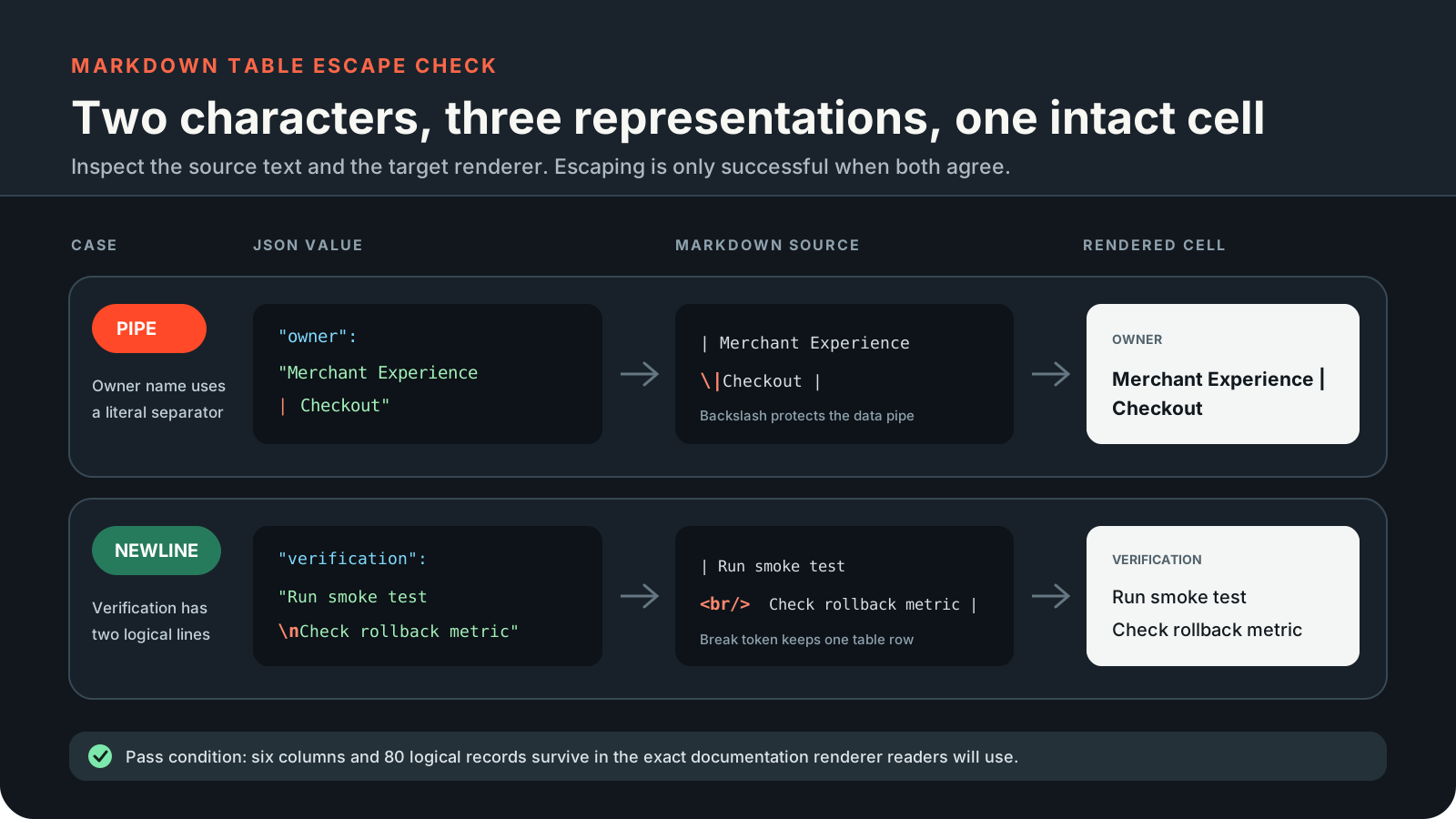
Preview the exact Markdown dialect
GitHub, documentation generators, chat tools, and internal wikis do not all render Markdown tables identically. The raw table can be valid text while still wrapping poorly on mobile or displaying multiline content in a way that surprises readers.
If a row has long arrays, nested objects, or multiline notes, compare a raw text preview with the rendered result. Sometimes the better answer is HTML table export or a downloadable CSV file.
A good Markdown table is intentionally small. If you would need horizontal scrolling, footnotes in every cell, or manual editing after every export, the table is probably carrying too much JSON structure for documentation.
Markdown escaping is not a security review
Escaping a pipe keeps a table cell from splitting. Replacing a newline with a visible break token keeps a row readable. Those are formatting transformations, not a guarantee that arbitrary markup-like text is safe in every renderer.
For externally sourced data, review the destination platform's sanitization rules. Keep the generated table small enough that a human can check the important cells.
When the table is part of a release note or incident report, add a one-sentence source note near it: which JSON file or query produced the rows, and whether the output was edited after export. That keeps the documentation useful after the original context is gone.
Keep going
Choose a JSON export format
Compare CSV, TSV, YAML, TOML, XML, .properties, Markdown, HTML table, and NDJSON exports from JSON before choosing the right guide.

Convert JSON to an HTML table
Export a JSON array as a readable HTML table report and review saved-artifact behavior, escaping, sorting, and mapping limits.
Convert nested JSON to CSV without uploading it
Export nested JSON to CSV locally, shape nested fields into deliberate columns, and avoid spreadsheet surprises with IDs, nulls, and formula-like values.
Convert JSON to TSV for spreadsheet handoffs
Need a local JSON to TSV workflow? This guide covers nested columns, tabs and newlines inside cells, plus the import settings worth checking in a spreadsheet.