 JSON All-in-One

Generate Java classes and records from JSON
Java model generation is most useful when a JSON response is already real and you need a quick class or record draft for review. JSON All-in-One can generate Java code from a sample and, where selected, include Jackson-oriented annotations.
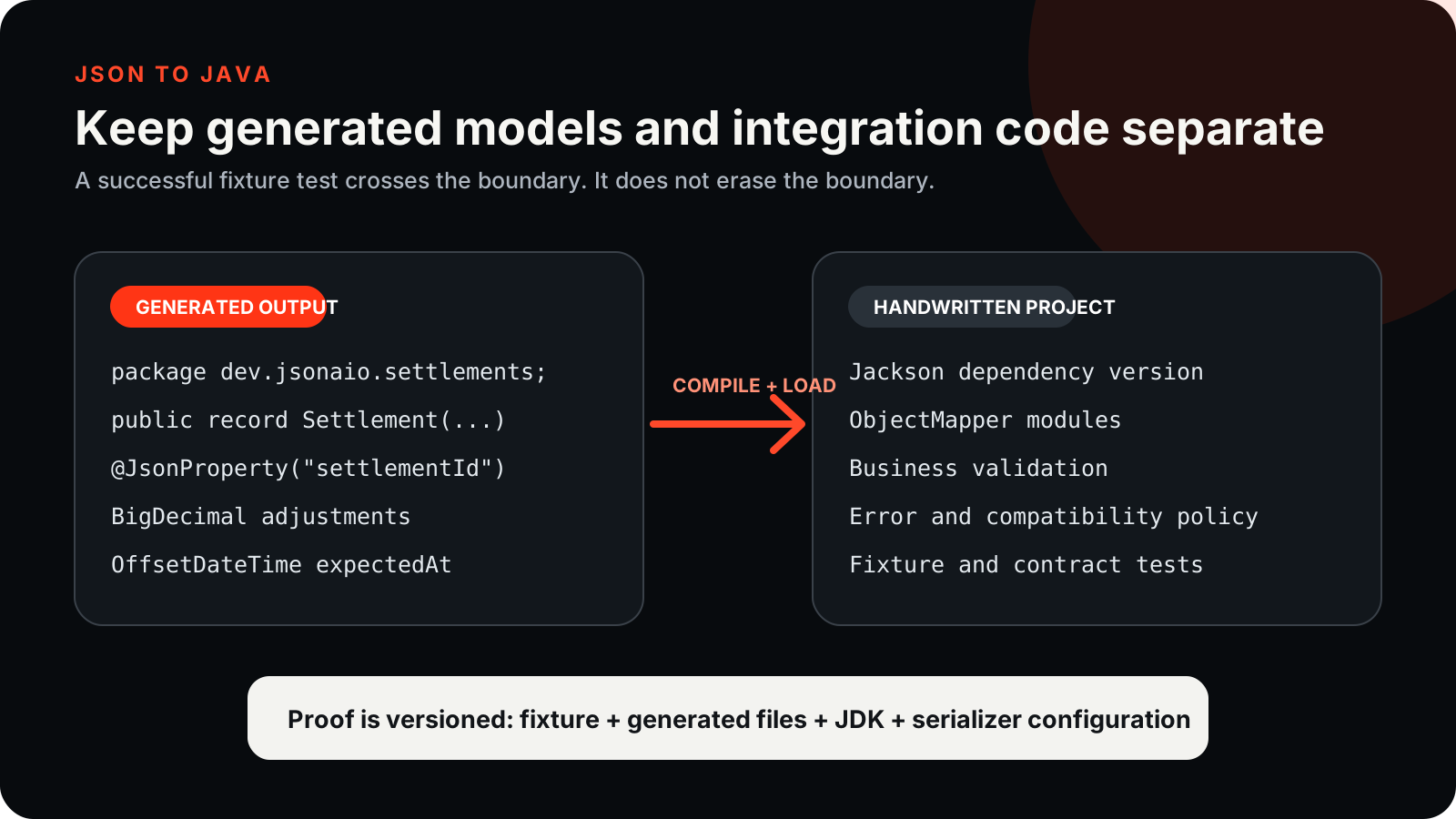
Generated model code, dependency setup, and deserialization configuration are three different pieces of work. The generator focuses on Java model classes and optional Jackson-oriented annotations; other frameworks and runtime configuration remain yours to add.
Choose a fixture with Java problems in it
This illustrative order response includes snake_case keys, a decimal amount, a nullable discount, a nested customer object, and a status that might become an enum. It is deliberately small, but it exercises the decisions a Java reader cares about.
Use a source with keys that differ from Java naming conventions. That gives the Jackson option something real to explain: the generated field can preserve the JSON key, and any later Java-side renaming must keep the JSON name visible by annotation or mapping code.
{
  "order_id": "ord_1007",
  "status": "paid",
  "total_amount": 129.95,
  "placed_at": "2026-09-04T10:05:00Z",
  "discount": null,
  "customer": {
    "customer_id": 42,
    "email": "buyer@example.dev"
  }
}
Choose record or class deliberately
Java supports Record and Class style in the current option matrix. Records are concise and fit immutable data carriers in modern Java. Classes can be friendlier when a project expects setters, no-argument constructors, or framework-specific conventions.
After generation, look at the downloaded files rather than assuming the layout from the toggle. If Java gives you separate public types, keep them as separate files or merge them manually only after checking Java's one-public-type-per-file rule.
package dev.example.orders;

import com.fasterxml.jackson.annotation.JsonProperty;
import java.time.OffsetDateTime;

public record OrderResponse(
    @JsonProperty("customer") Customer customer,
    @JsonProperty("discount") Object discount /* nullable */,
    @JsonProperty("order_id") String order_id,
    @JsonProperty("placed_at") OffsetDateTime placed_at,
    @JsonProperty("status") String status,
    @JsonProperty("total_amount") Double total_amount
) {}package dev.example.orders;
import com.fasterxml.jackson.annotation.JsonProperty;
public record Customer(
@JsonProperty("customer_id") Long customer_id,
@JsonProperty("email") String email
) {}Jackson is an option, not the whole integration
When Jackson is selected, generated annotations can preserve source names such as order_id. They do not add Maven or Gradle dependencies, configure Java time support, or choose every ObjectMapper option your service uses.
Add build configuration and mapper setup in your application, separately from the generated model files. This keeps dependency and framework choices aligned with the project that will use the models.
ObjectMapper mapper = new ObjectMapper()
    .findAndRegisterModules();

OrderResponse order = mapper.readValue(jsonText, OrderResponse.class);
System.out.println(order.customer().email());
Review numbers, dates, and unknown values
Java integer policy can use Long or BigInteger; decimal policy can use Double or BigDecimal; date/time can be OffsetDateTime or String; unknown JSON can be Object or String. The right answer depends on the receiving code.
For order totals, consider the BigDecimal path and verify the mapper setup that reads it. Treat fields typed as Object as values your application still needs to inspect and handle explicitly.
| Decision | Java choices | Reader warning |
|---|---|---|
| Model style | Record or Class | Record examples imply a modern Java version. |
| Serializer | None or Jackson | No Gson or arbitrary POJO framework claim. |
| Integer | Long or BigInteger | Check identifiers and IDs before native numeric use. |
| Decimal | Double or BigDecimal | Money examples should not silently use binary float. |
Workflow checklist
- Open the JSON sample and choose Java in Codegen.
- Select record or class style based on the project conventions.
- Choose Jackson only if you also include the Jackson-specific output and dependencies.
- Set the package name and inspect the actual generated file list.
- Compile and, if you use Jackson in your project, deserialize the fixture with recorded Java and dependency versions.
Limitations to state in plain English
Generating Java from JSON is not the same as parsing JSON into an already designed domain model. It drafts model classes from observed input. Business validation, field renaming policies, dependency management, and framework integration remain your code.
Do not infer Gson, Moshi, Spring binding behavior, or arbitrary POJO conventions from the Jackson option. Keep generated model code separate from handwritten mapper setup.
Workflow and integration boundary

Keep going
Generate code from JSON
Choose a JSON-to-code target, understand what sample-derived models can prove, and move from one JSON shape into TypeScript, Python, Java, Kotlin, C#, Go, or Rust.
Generate Kotlin data classes from JSON
Generate Kotlin data classes or classes from a JSON sample, then review nullability, naming, package layout, and serializer work that remains manual.
Convert nested JSON to .properties
Convert nested JSON to a .properties file, then check the flattened keys, array indexes, escaped values, and the rules of the receiving application.
Generate JSON Schema from sample JSON
Turn observed JSON samples into a starting JSON Schema, then review the inferred types, required fields, nulls, and limits.