 JSON All-in-One

Generate Python dataclasses from JSON
Generating Python dataclasses from JSON is helpful when you want a typed shape for an API response, job payload, or configuration snapshot. JSON All-in-One can draft @dataclass(slots=True) models from the sample you already have open.
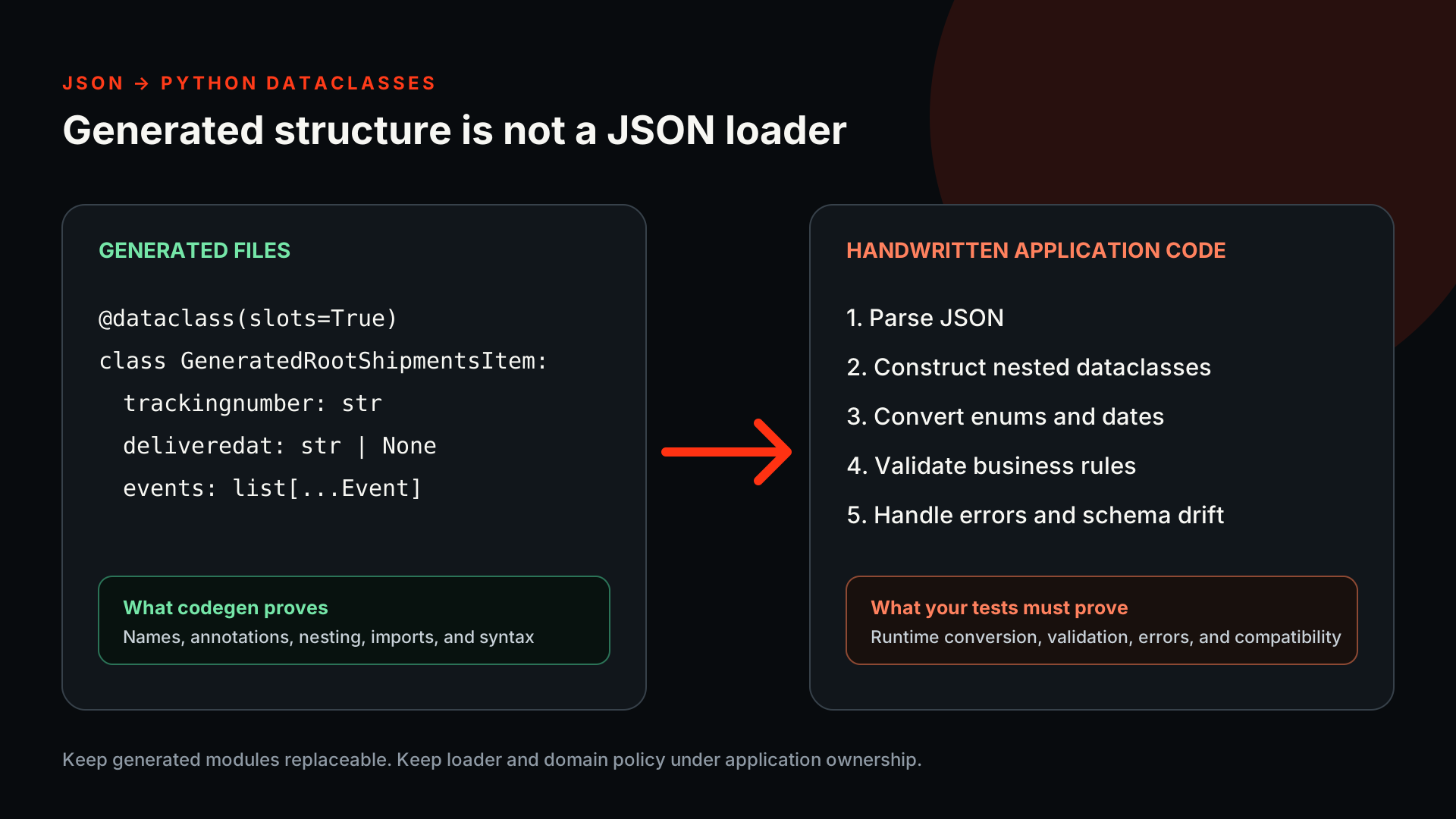
The dataclasses describe the fields in your sample. Loading nested dictionaries and validating future payloads still require application code.
Use a service response, not a toy object
The deployment sample is intentionally untidy. Its nested owner, region list, optional error, date-like string, and decimal-looking duration surface the Python choices around datetime, Decimal, Any, and nullable fields.
Paste the shape you really receive. Keep a root array for jobs or events, and keep the wrapper when the API returns one, because that root decides which generated Python class becomes the entry point.
{
  "deployment_id": "dep_42",
  "started_at": "2026-09-04T09:15:00Z",
  "duration_seconds": 18.75,
  "owner": { "id": 71, "email": "ops@example.dev" },
  "regions": ["iad", "fra"],
  "error": null,
  "labels": { "tier": "staging", "retry": false }
}
Read the dataclass draft
With Python 3 selected, the generator emits dataclasses and imports based on the chosen policies. Native date/time can use datetime; decimal policy can use Decimal; unknown JSON can stay as Any unless you choose string. Those imports are code signals you should review, not decoration.
A compact reviewed model for the root object might look like this. Before you keep it, check that the imports match the policies you selected and that your Python version supports the union syntax used by the generated annotations.
from dataclasses import dataclass
from datetime import datetime
from typing import Any

@dataclass(slots=True)
class Owner:
    id: int
    email: str

@dataclass(slots=True)
class Labels:
    retry: bool
    tier: str

@dataclass(slots=True)
class Deployment:
    deployment_id: str
    started_at: datetime
    duration_seconds: float
    owner: Owner
    regions: list[str]
    error: Any | None
    labels: Labels
Add loading code separately
Dataclasses do not recursively load nested dictionaries by themselves. If you call Deployment(**payload), the owner field is still a dict unless your code constructs Owner explicitly or uses a separate library. Keep generated code and handwritten glue separate so you can see exactly where parsing, coercion, and validation happen.
This loader was written by hand; it is not generator output. Match it to your application's conversion rules, since a dataclass will not validate or convert raw dictionary values for you.
import json
from datetime import datetime


def load_deployment(response_text: str) -> Deployment:
    payload = json.loads(response_text)
    return Deployment(
        deployment_id=payload["deployment_id"],
        started_at=datetime.fromisoformat(payload["started_at"].replace("Z", "+00:00")),
        duration_seconds=float(payload["duration_seconds"]),
        owner=Owner(**payload["owner"]),
        regions=list(payload["regions"]),
        error=payload.get("error"),
        labels=Labels(**payload["labels"]),
    )
Python options worth calling out
Python supports native or string datetime policy, native int or str for integers, native float or Decimal for decimals, and Any or str for unknown JSON values. These choices should match the code that reads the payload later.
For money, ratios, or precise measurements, Decimal can be safer than binary floating-point values, but only if your loader constructs Decimal values consistently. Fields typed as Any still need application-level checks; choose str only when you intend to store the value as text.
| JSON concern | Python output choice | Integration note |
|---|---|---|
| Date-like string | datetime or str | Native datetime still needs parsing code. |
| Identifier integer | int or str | Python int is arbitrary precision, but downstream systems may not be. |
| Decimal measurement | float or Decimal | Use Decimal when binary float rounding matters. |
| Nullable error payload | Any or str | Any preserves shape uncertainty in the model. |
Workflow checklist
- Paste a sample that includes nulls, lists, nested objects, and any missing-key examples you have.
- Choose Python 3 in Codegen and generate the dataclass files.
- Review imported modules and primitive policies before copying.
- Write a small loader or mapper in your application layer.
- Instantiate the model from the fixture and record the Python version in your project notes.
Where the sample stops helping
A sample-derived dataclass cannot know required business rules, minimum string lengths, cross-field dependencies, or every enum value. If the real service has a documented schema, compare the generated draft with that contract.
The generator produces dataclasses, not Pydantic models or runtime validators. If you need Pydantic or another validation library, add it separately and test it against the same JSON sample.
Dataclasses and loader responsibilities
Keep going
Generate code from JSON
Choose a JSON-to-code target, understand what sample-derived models can prove, and move from one JSON shape into TypeScript, Python, Java, Kotlin, C#, Go, or Rust.

Generate JSON Schema from sample JSON
Turn observed JSON samples into a starting JSON Schema, then review the inferred types, required fields, nulls, and limits.
Convert a JSON array to NDJSON or JSONL
Convert a JSON array to NDJSON or JSONL, with one complete record per line and practical checks for escaped newlines and record counts.
Generate TypeScript types from JSON
Turn a representative JSON response into TypeScript interfaces or classes, then review optional fields, nulls, arrays, dates, and numeric policy before using the types.